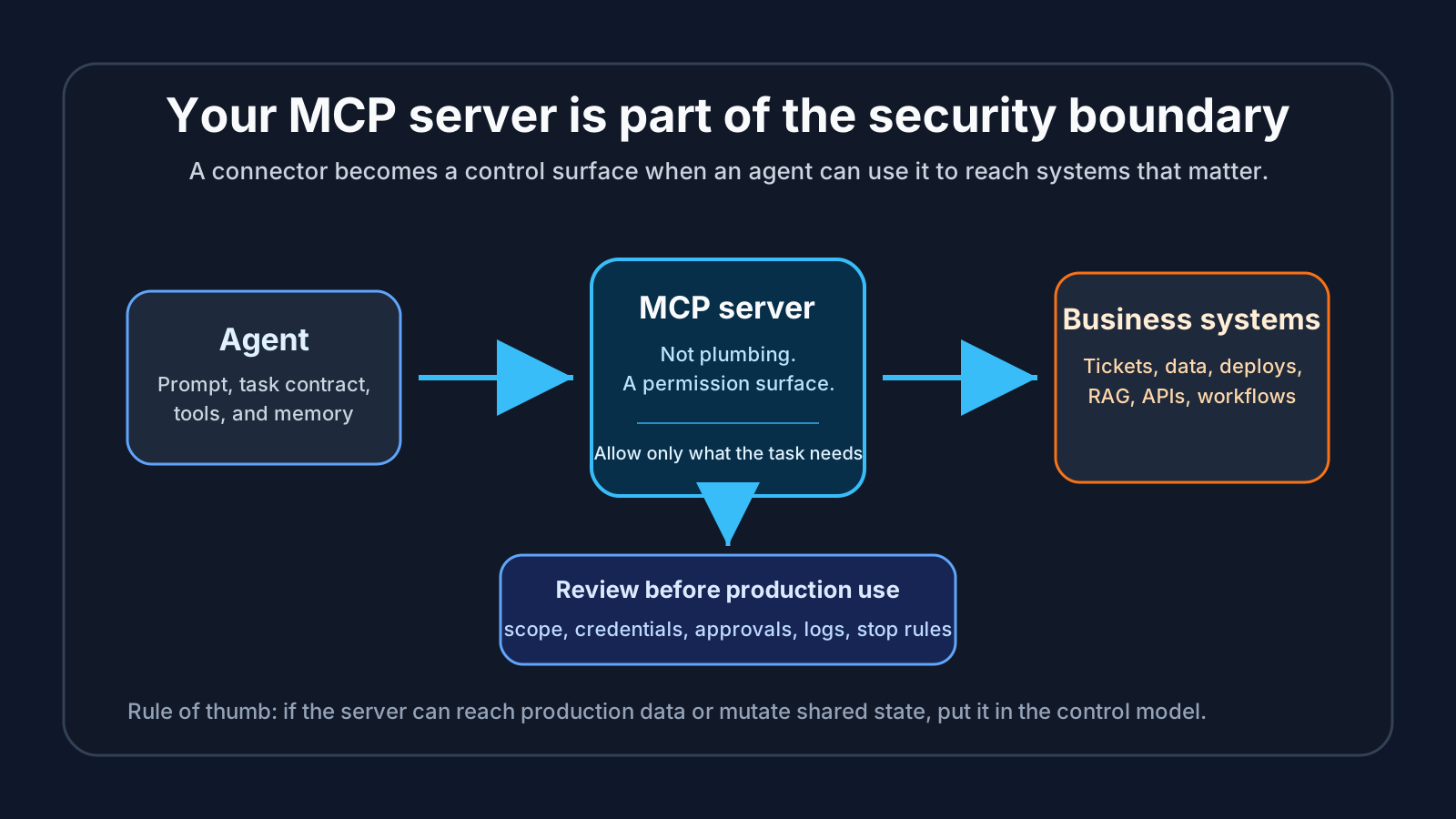
Your MCP server is part of the security boundary
An MCP server is easy to describe as plumbing.
That is the trap. Once an agent can use it to read a ticket queue, search internal documentation, pull context from RAG, inspect telemetry, call a workflow, or change something through an API, the server is no longer just a connector. It is part of the security boundary.
This is where Claude Code and enterprise agent security meet in a very practical way. The engineering team wants the agent to do useful work inside a real delivery loop. The security team wants to know what the agent can reach, which authority it is using, and what evidence survives after the run.
That is also why I keep pairing the two books. Claude Code: Building Production Agents That Actually Scale covers the delivery loop: scoped tasks, permissions, review packets, evals, observability, rollback, and human approval. Securing Enterprise AI Agents covers the control model around identity, tools, RAG, audit evidence, policy gates, and incident response. If your team owns both sides, the Enterprise AI Agents in Production bundle is the direct route.

The connector has authority
A useful MCP server usually has access to something the model does not have on its own.
That might be a knowledge base, a ticketing system, a code search tool, a cloud account, a database wrapper, a feature flag system, a deployment workflow, or an internal API. Some of those are read only. Some can mutate state. Some look safe until the agent combines them with another tool.
The security question is not only “does the MCP server work?” It is also:
- What data can the server reach?
- Can it change state?
- Which credentials does it use?
- Can the agent choose any method, or only named methods?
- Which calls need approval?
- Does the log show the task, the tool call, and the reason?
- Can the run be stopped quickly if the agent starts moving in the wrong direction?
Those questions sound boring until the first bad run. Then they become the only questions that matter.
Read-only is still a boundary
Teams often relax when a tool is read only. Sometimes that is fair. A documentation search tool is a different risk from a deployment tool.
But read only does not mean risk free. A read-only MCP server can still expose customer data, secrets in old tickets, incident notes, regulatory material, architecture diagrams, unreleased product plans, or enough context to make a later action more dangerous.
It can also create authority confusion. If the agent reads a restricted knowledge base and then writes a public issue, a support reply, a commit message, or a design note, you now have a data handling question. The server did not mutate the source system, but the agent may still have moved sensitive context into a place it should not go.
For production use, I would label each server with the data classes it can reach. Public docs, internal engineering docs, customer data, security material, regulated records, production telemetry, and business workflows should not live in the same mental bucket.
Write tools need a named owner
If an MCP server can mutate a system, give it a named owner before it joins the workflow.
Not a vague platform team. Not “the AI group.” A person or accountable role that can answer why the server exists, which tools are exposed, which credentials it uses, where logs live, and how to disable it.
For write-capable tools, I want the review to cover five things:
- The smallest method allowlist that makes the workflow useful.
- Credentials scoped to the task, not borrowed from a human’s broad account.
- Human approval for actions that touch production, money, identity, customer data, or shared policy.
- Logs that tie each tool call to a task, agent identity, human owner, and run record.
- A kill switch that someone can use without opening a change request first.
That is not heavyweight governance. It is the minimum you need before an agent can use a tool that changes shared state.
Claude Code makes this concrete
Claude Code is a useful forcing function because the risk is visible. The agent is close to the repo. It can read files, edit files, run commands, use MCP servers, and hand a reviewer a convincing summary.
A good Claude Code setup does not ask the reviewer to trust the summary. It leaves a review packet:
Task:
Allowed files and packages:
Allowed MCP servers:
MCP methods allowed:
Data classes reachable:
Commands run:
Files changed:
Tests passed:
Tests failed or skipped:
Tool calls and reasons:
Boundary pressure:
Rollback or containment path:
Human approval:
The field I care about most is Boundary pressure. That is where the run records when the agent wanted more authority than the task allowed. Maybe it needed to inspect deployment config. Maybe it wanted a broader RAG source. Maybe the fix crossed into auth, billing, customer records, or a write-capable workflow. Good. Stop there, or get a named approval.
This is how a team widens autonomy without lying to itself. The agent earns more scope by leaving evidence, not by sounding confident.
The RAG angle is easy to miss
MCP and RAG often meet in the same workflow. An agent asks a retrieval tool for context, uses that context to decide what to do, then calls another tool or writes code.
That chain needs review. The retrieval source may be stale. It may be too broad. It may ignore document-level permissions. It may mix public docs with internal incident notes. It may give the agent context that the human requester was not allowed to see.
A simple starting rule helps: the agent should not retrieve more authority than the human task owner has for that task. If the human would need approval to read a source, the agent should need approval too.
This is one of the places where security architecture and software delivery stop being separate conversations. A RAG source that feeds an MCP-enabled agent is not passive content. It can shape the agent’s next action.
A small review template
Before adding an MCP server to a production agent workflow, fill this in:
Server name:
Business purpose:
Human owner:
Agent workflows allowed to use it:
Data classes reachable:
Read methods exposed:
Write methods exposed:
Credentials used:
Approval required for:
Forbidden calls or data:
Logging location:
Retention period:
Kill switch owner:
Last review date:
Then ask the uncomfortable question: if this server is misused at 2 a.m., could the team explain what happened from the record?
If the answer is no, keep the server out of the production workflow. Use it in a sandbox, narrow the methods, split high-risk calls into a separate server, or add an approval gate before the agent can call it.
Buy the operating model, not the hype
Most agent failures do not need a dramatic story. A helpful tool gets connected. A permission is a little too broad. A credential is reused because it works. Logging is added later. The first few runs look fine. Then the agent touches a system nobody expected it to touch.
The fix is not to ban tools. The fix is to treat tools as authority.
If your current problem is making Claude Code useful in real engineering work, start with Claude Code: Building Production Agents That Actually Scale. The landing page points Kindle readers to the Amazon edition: get the Claude Code book on Amazon Kindle.
If your problem is the enterprise control model around MCP, RAG, identity, approvals, audit trails, and incident response, read Securing Enterprise AI Agents or go straight to Leanpub.
If you own both the delivery loop and the security boundary, get the Enterprise AI Agents in Production bundle. One book helps you build agent work people can review. The other helps you secure the authority behind it.